
Products
Software we design, build and run ourselves. Each one started as a problem a real business brought to us.

Your own transfer booking website.
Take bookings under your brand and run drivers, vehicles and invoices from one dashboard. Built for airport transfer, chauffeur and tour operators.
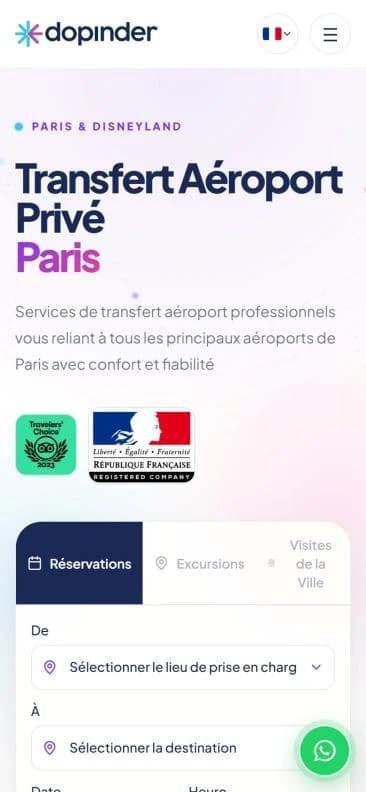
When bookings arrive by phone and email
Details get lost
Pickup times, flight numbers and luggage counts end up scattered across chats and inboxes.
Platforms take a cut
Booking sites and agents charge commission on rides that could have come to you directly.
Closed after hours
Tourists plan transfers before they land, often while your office is closed.
One platform, both sides of your business
Branded booking website
Your domain, logo and colours. Customers enter their journey, pick a vehicle and pay online or in cash to the driver.
Management dashboard
Every booking lands in one place, with drivers, vehicles, rates, payments and invoices beside it.
What your customers see
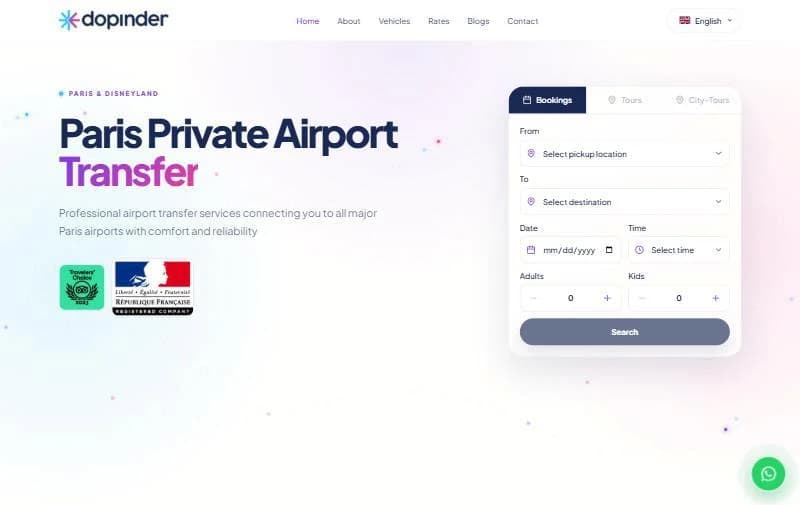
Booking starts on your homepage
- Your locations
- Airports, hotels and cities you serve, in a simple list.
- The trip at a glance
- Date, time, adults and kids in one form.
- More than transfers
- Separate tabs for tours and city tours.

Instant prices for every vehicle
- Fixed, upfront prices
- Each vehicle shows its fare for the route as soon as the trip is entered.
- The customer chooses
- Car, minivan or business van, with photos.
- No back-and-forth
- No waiting for a quote by message.
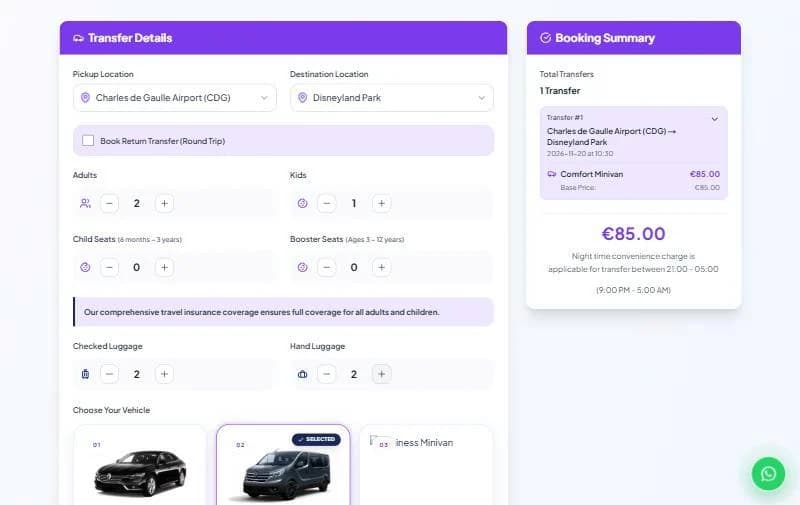
Every trip detail, captured upfront
- Return trips
- Booked in the same order.
- Child and booster seats
- Requested by age.
- Checked and hand luggage
- Counted per trip.
- A live summary
- The total stays in view while the customer books.
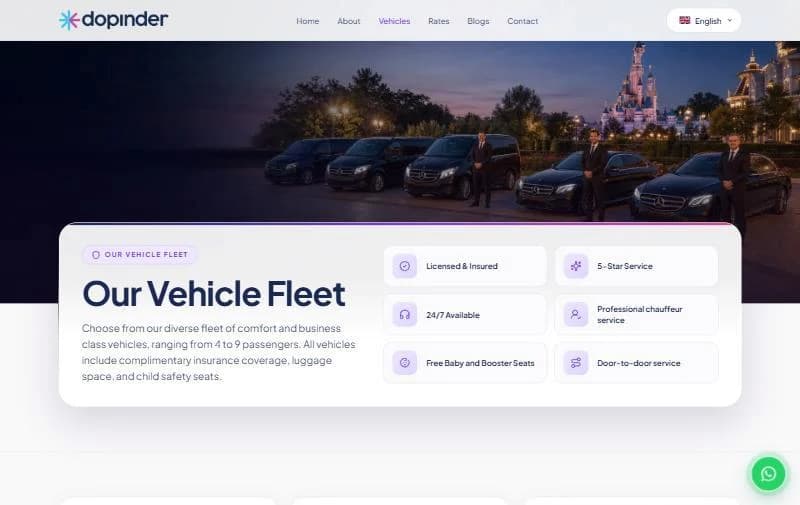
A site that sells your fleet and service
- Fleet page
- Your own vehicle photos and capacities.
- Your promises
- Licensing, 24/7 service, free child seats and anything else you offer.
- Full website included
- Rates, about, blog and contact pages.
The right vehicle, the right pickup
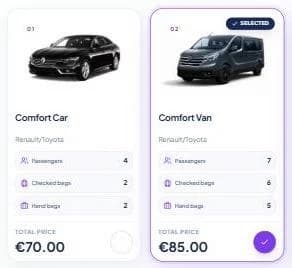
Real capacity per vehicle
Passengers, checked bags and hand bags shown on every card.
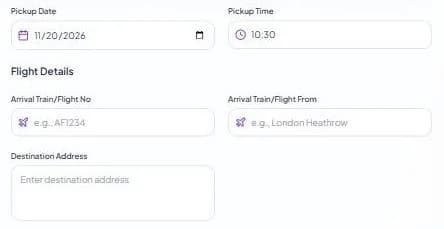
Flight and train details
Arrival number, origin and drop-off address for airport pickups.
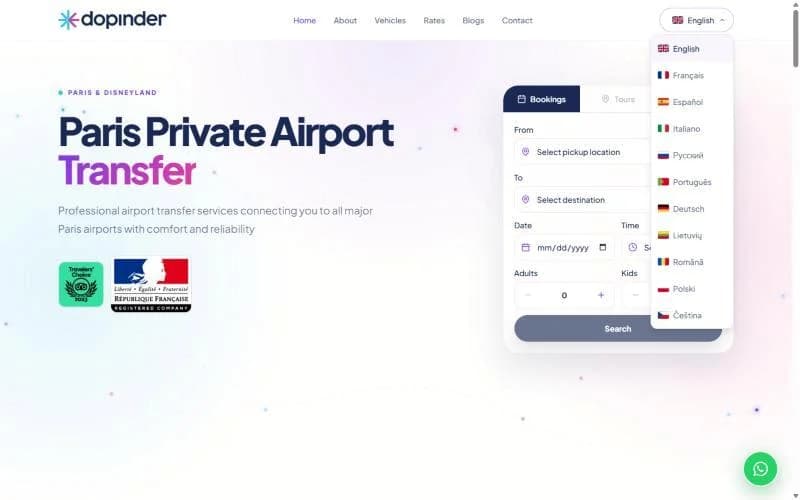
11
languages on the demo site
English, French, Spanish, Italian, German, Russian, Portuguese and more. Every page adapts to phones.
Run operations from one dashboard
Transfers
See upcoming transfers, check details and update booking status.
Locations and rates
Add pickup points and destinations, and set the prices customers see.
Drivers and vehicles
Keep driver and vehicle records and assign each booking.
Payments and invoices
See what is paid and what is due, and manage transfer invoices.
Business settings
Update branding, website languages and booking options.
Flexible payments
Visa, Mastercard, Apple Pay, Google Pay, or cash to the driver.
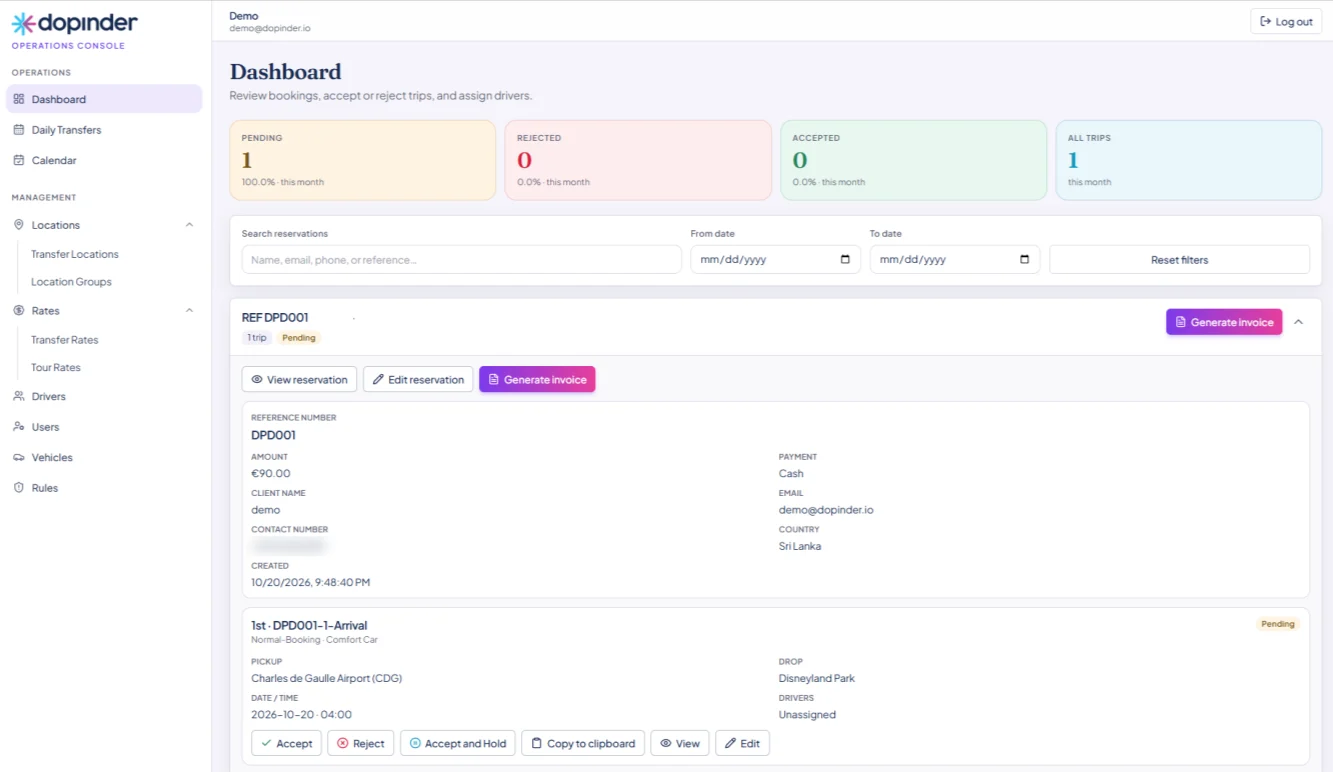
Bookings handled in a click
- One-click handling
- Accept, reject or hold trips, assign drivers and invoice in one click.
- Daily transfers view
- Today's work at a glance.
- Booking calendar
- Shows your busy days ahead.
- Rules
- Set off-times and holidays once.
Live in four steps
- 1
Set up your brand
Connect your domain and add your logo, colours and business details.
- 2
Add your services
Vehicles, passenger and luggage capacity, locations and rates.
- 3
Pick languages and payments
Choose booking languages and the payment methods you offer.
- 4
Launch
Share your website address and manage incoming bookings in Dopinder.
Optional: SEO and social media growth services, quoted separately.
See Dopinder with your own fleet
We'll walk you through a demo set up with your locations and vehicles.